mirror of
https://github.com/ByteByteGoHq/system-design-101.git
synced 2026-04-15 05:57:24 -04:00
 ee4b7305a2
This PR adds all the guides from [Visual
Guides](https://bytebytego.com/guides/) section on bytebytego to the
repository with proper links.

- [x] Markdown files for guides and categories are placed inside
`data/guides` and `data/categories`
- [x] Guide links in readme are auto-generated using
`scripts/readme.ts`. Everytime you run the script `npm run
update-readme`, it reads the categories and guides from the above
mentioned folders, generate production links for guides and categories
and populate the table of content in the readme. This ensures that any
future guides and categories will automatically get added to the readme.
- [x] Sorting inside the readme matches the actual category and guides
sorting on production
1.1 KiB
1.1 KiB
title, description, image, createdAt, draft, categories, tags
| title | description | image | createdAt | draft | categories | tags | |||
|---|---|---|---|---|---|---|---|---|---|
| Running C, C++, or Rust in a Web Browser | Explore running C, C++, and Rust code in web browsers using WASM. | https://assets.bytebytego.com/diagrams/0406-how-wasm-work.jpeg | 2024-02-21 | false |
|
|
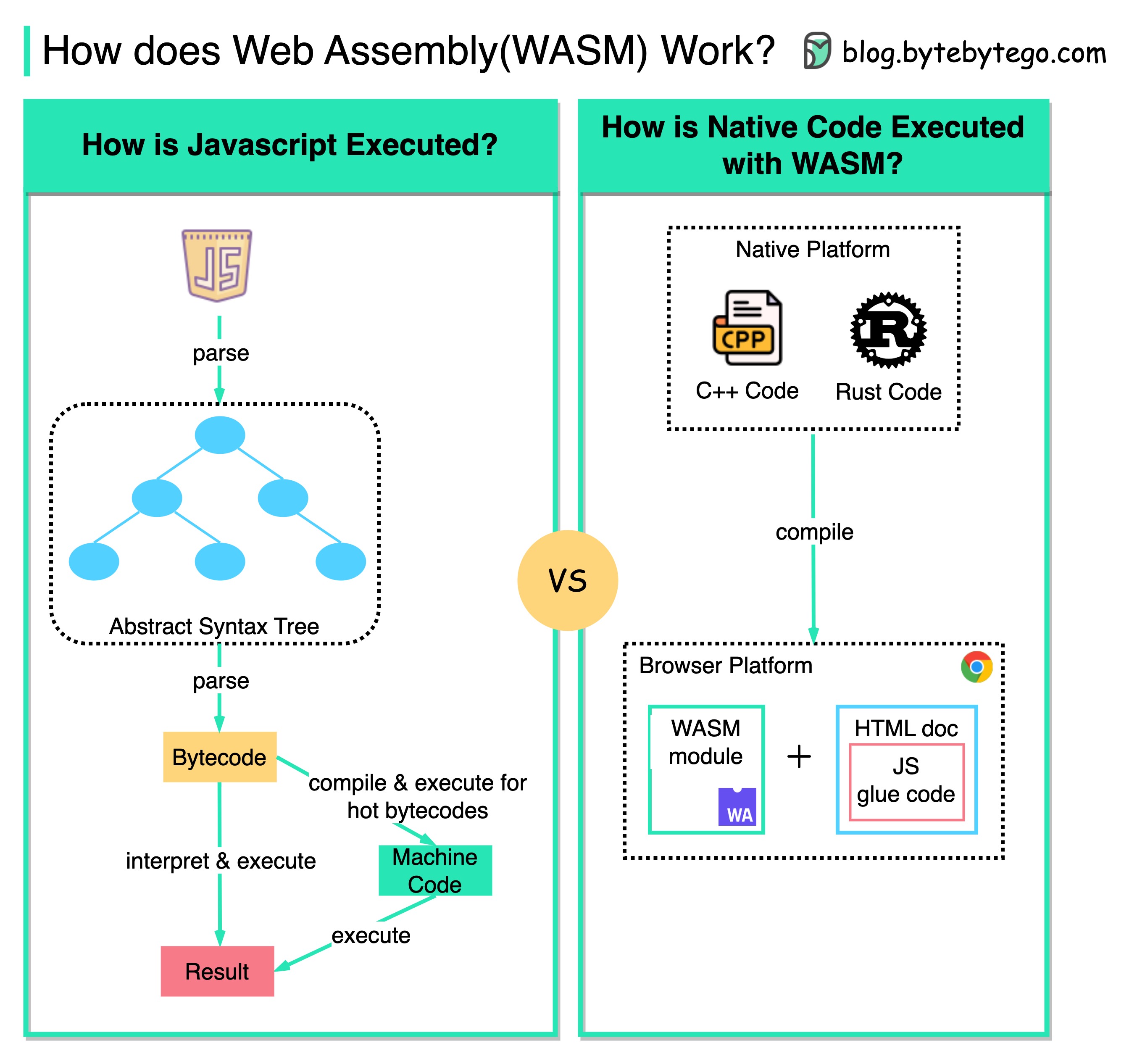
What is web assembly (WASM)? Why does it attract so much attention?
The diagram shows how we can run native C/C++/Rust code inside a web browser with WASM.
Traditionally, we can only work with Javascript in the web browser, and the performance cannot compare with native code like C/C++ because it is interpreted.
However, with WASM, we can reuse existing native code libraries developed in C/C++/Rust, etc to run in the web browser. These web applications have near-native performance.
For example, we can run the video encoding/decoding library (written in C++) in the web browser.
This opens a lot of possibilities for cloud computing and edge computing. We can run serverless applications with fewer resources and instant startup time.