mirror of
https://github.com/ByteByteGoHq/system-design-101.git
synced 2026-04-18 15:17:23 -04:00
 ee4b7305a2
This PR adds all the guides from [Visual
Guides](https://bytebytego.com/guides/) section on bytebytego to the
repository with proper links.

- [x] Markdown files for guides and categories are placed inside
`data/guides` and `data/categories`
- [x] Guide links in readme are auto-generated using
`scripts/readme.ts`. Everytime you run the script `npm run
update-readme`, it reads the categories and guides from the above
mentioned folders, generate production links for guides and categories
and populate the table of content in the readme. This ensures that any
future guides and categories will automatically get added to the readme.
- [x] Sorting inside the readme matches the actual category and guides
sorting on production
1.0 KiB
1.0 KiB
title, description, image, createdAt, draft, categories, tags
| title | description | image | createdAt | draft | categories | tags | |||
|---|---|---|---|---|---|---|---|---|---|
| Do you know all the components of a URL? | Learn about the different components that make up a URL. | https://assets.bytebytego.com/diagrams/0116-structure-of-url.png | 2024-02-18 | false |
|
|
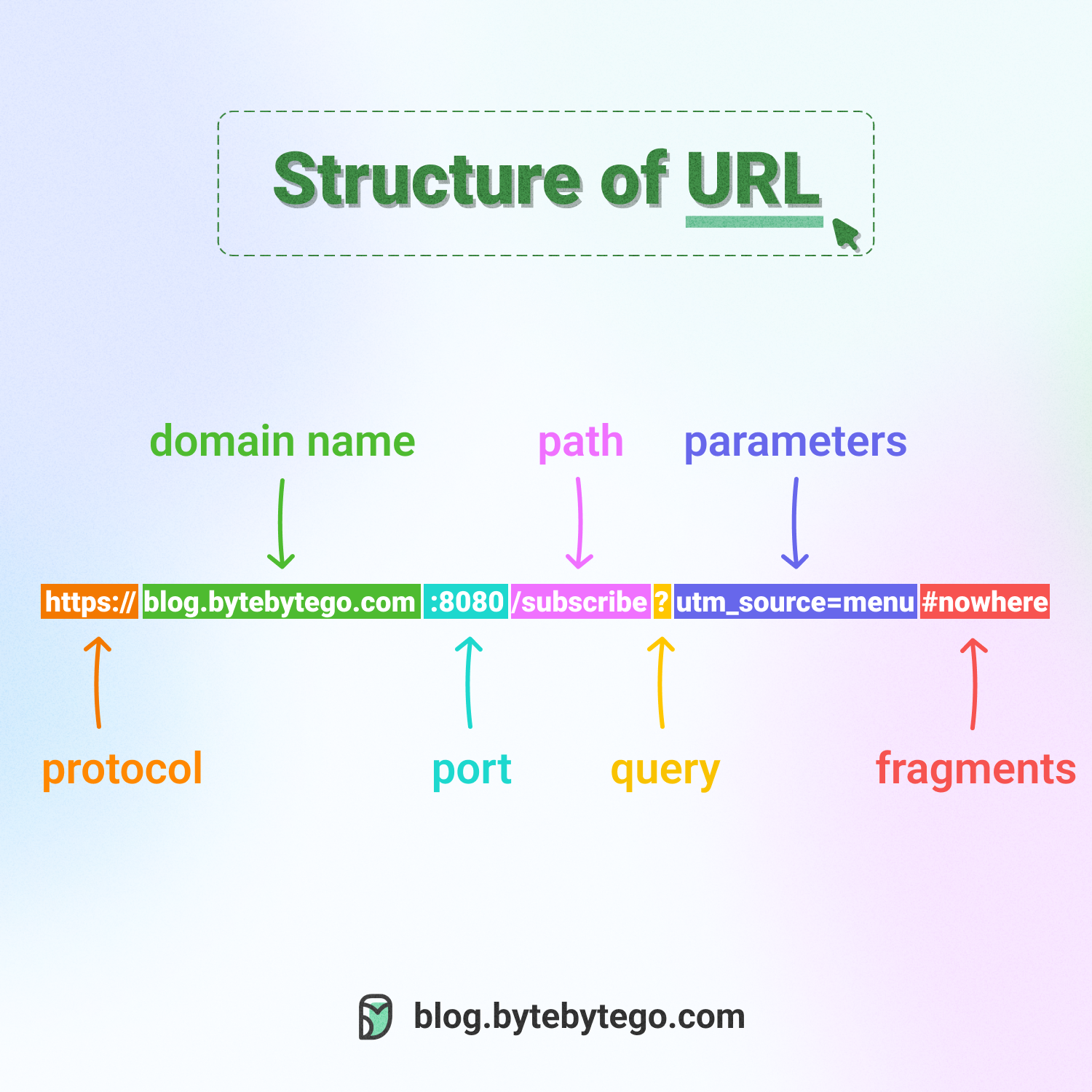
Uniform Resource Locator (URL) is a term familiar to most people, as it is used to locate resources on the internet. When you type a URL into a web browser's address bar, you are accessing a "resource", not just a webpage.
URLs comprise several components:
- The protocol or scheme, such as http, https, and ftp.
- The domain name and port, separated by a period (.)
- The path to the resource, separated by a slash (/)
- The parameters, which start with a question mark (?) and consist of key-value pairs, such as a=b&c=d.
- The fragment or anchor, indicated by a pound sign (#), which is used to bookmark a specific section of the resource.