 ee4b7305a2
This PR adds all the guides from [Visual
Guides](https://bytebytego.com/guides/) section on bytebytego to the
repository with proper links.

- [x] Markdown files for guides and categories are placed inside
`data/guides` and `data/categories`
- [x] Guide links in readme are auto-generated using
`scripts/readme.ts`. Everytime you run the script `npm run
update-readme`, it reads the categories and guides from the above
mentioned folders, generate production links for guides and categories
and populate the table of content in the readme. This ensures that any
future guides and categories will automatically get added to the readme.
- [x] Sorting inside the readme matches the actual category and guides
sorting on production
1.3 KiB
title, description, image, createdAt, draft, categories, tags
| title | description | image | createdAt | draft | categories | tags | |||
|---|---|---|---|---|---|---|---|---|---|
| Big Endian vs Little Endian | Explore big endian vs little endian byte ordering in computer architecture. | https://assets.bytebytego.com/diagrams/0084-big-endian-vs-little-endian.png | 2024-02-26 | false |
|
|
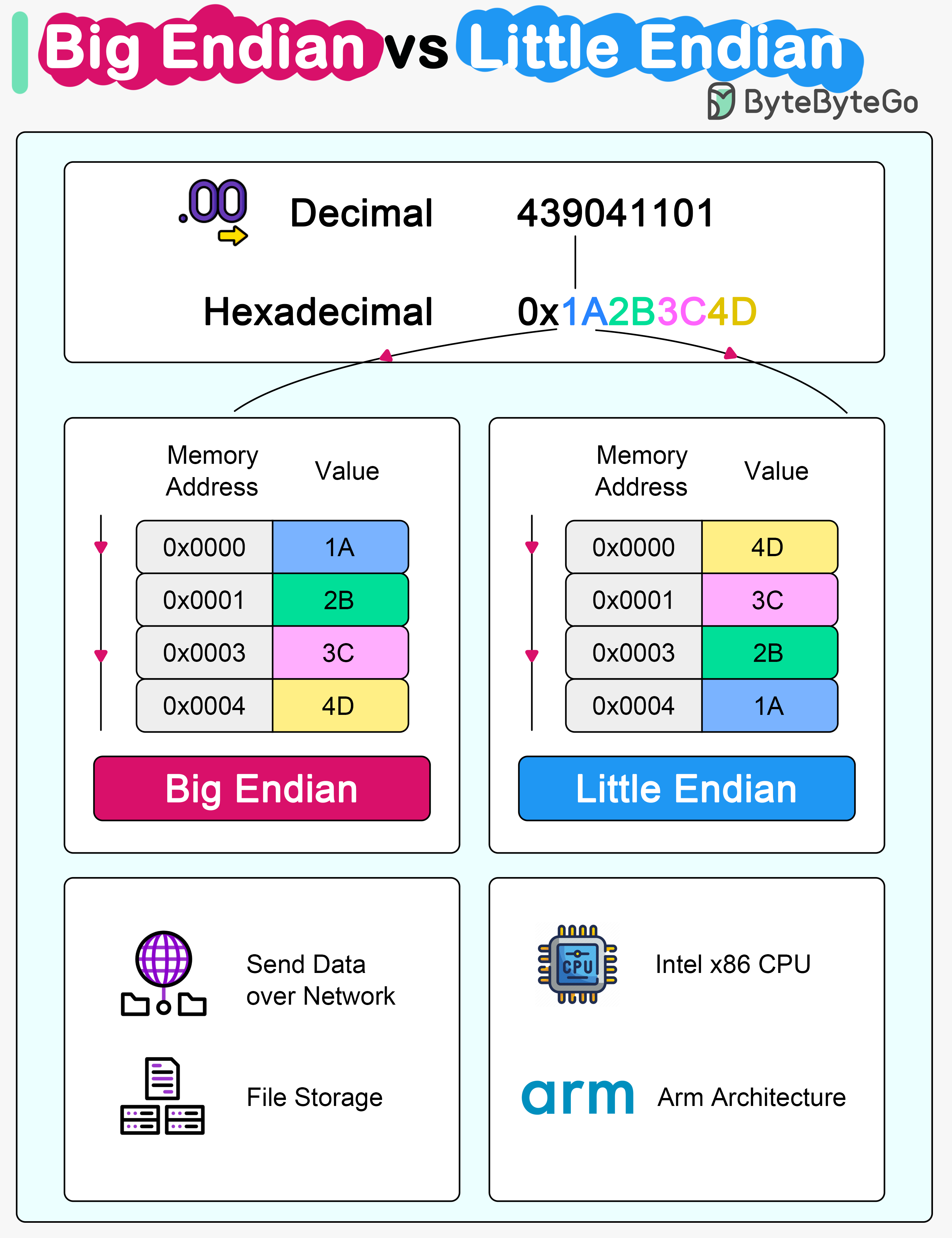
Microprocessor architectures commonly use two different methods to store the individual bytes in memory. This difference is referred to as “byte ordering” or “endian nature”.
Little Endian
Intel x86 processors store a two-byte integer with the least significant byte first, followed by the most significant byte. This is called little-endian byte ordering.
Big Endian
In big endian byte order, the most significant byte is stored at the lowest memory address, and the least significant byte is stored at the highest memory address. Older PowerPC and Motorola 68k architectures often use big endian. In network communications and file storage, we also use big endian.
The byte ordering becomes significant when data is transferred between systems or processed by systems with different endianness. It's important to handle byte order correctly to interpret data consistently across diverse systems.