mirror of
https://github.com/ByteByteGoHq/system-design-101.git
synced 2026-04-01 16:57:23 -04:00
 ee4b7305a2
This PR adds all the guides from [Visual
Guides](https://bytebytego.com/guides/) section on bytebytego to the
repository with proper links.

- [x] Markdown files for guides and categories are placed inside
`data/guides` and `data/categories`
- [x] Guide links in readme are auto-generated using
`scripts/readme.ts`. Everytime you run the script `npm run
update-readme`, it reads the categories and guides from the above
mentioned folders, generate production links for guides and categories
and populate the table of content in the readme. This ensures that any
future guides and categories will automatically get added to the readme.
- [x] Sorting inside the readme matches the actual category and guides
sorting on production
674 B
674 B
title, description, image, createdAt, draft, categories, tags
| title | description | image | createdAt | draft | categories | tags | |||
|---|---|---|---|---|---|---|---|---|---|
| API of APIs - App Integrations | Explore API of APIs and app integrations in this detailed guide. | https://assets.bytebytego.com/diagrams/0426-api-of-apis-app-integrations.png | 2024-02-13 | false |
|
|
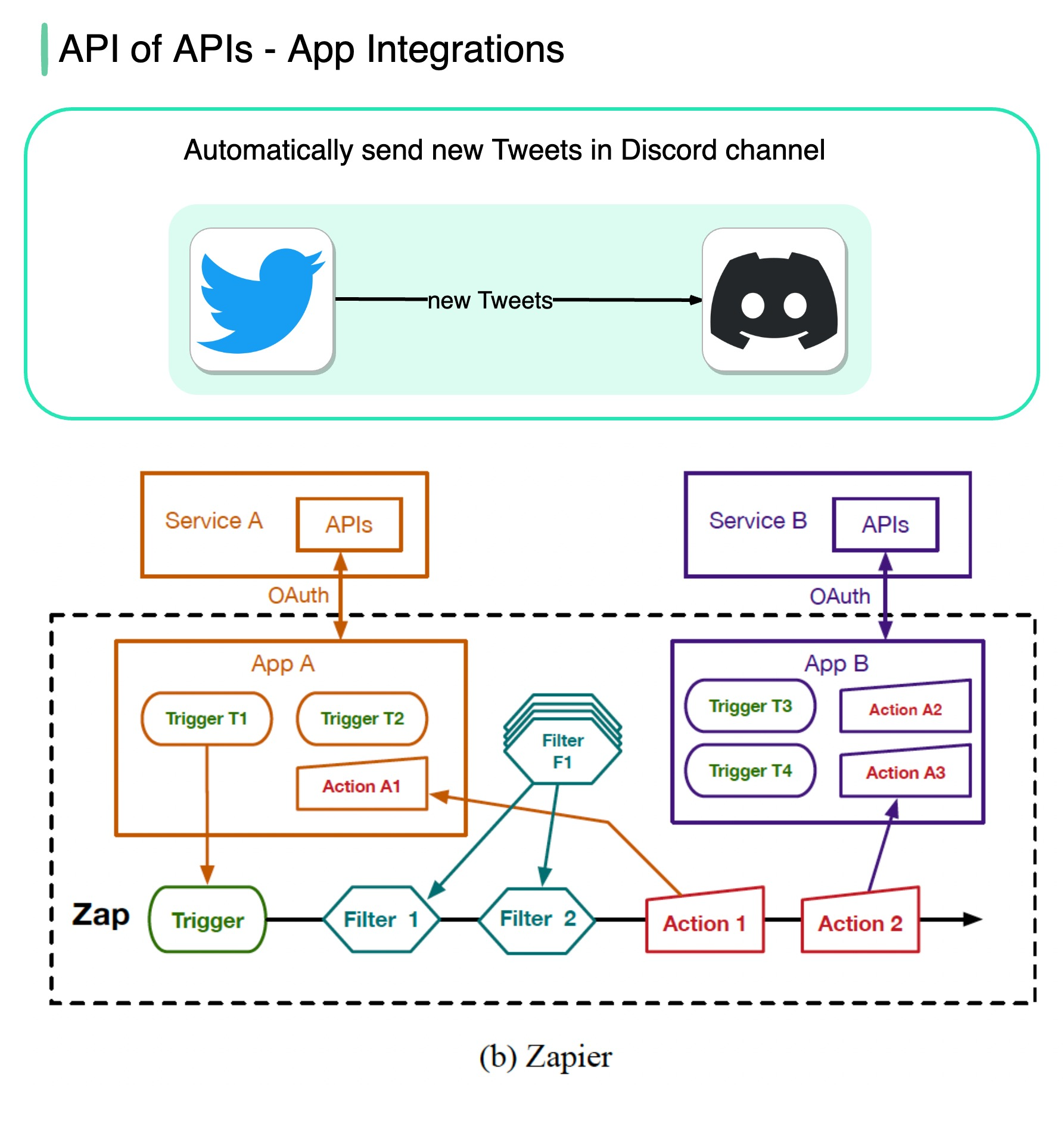
No-code tools such as Zapier, IFTTT, etc., allow anyone to build apps and automate workflows using a visual interface.
The flowchart below shows how it works.
Image source: Paper: IFTTT vs. Zapier: A Comparative Study of Trigger-Action Programming Frameworks