 ee4b7305a2
This PR adds all the guides from [Visual
Guides](https://bytebytego.com/guides/) section on bytebytego to the
repository with proper links.

- [x] Markdown files for guides and categories are placed inside
`data/guides` and `data/categories`
- [x] Guide links in readme are auto-generated using
`scripts/readme.ts`. Everytime you run the script `npm run
update-readme`, it reads the categories and guides from the above
mentioned folders, generate production links for guides and categories
and populate the table of content in the readme. This ensures that any
future guides and categories will automatically get added to the readme.
- [x] Sorting inside the readme matches the actual category and guides
sorting on production
2.2 KiB
title, description, image, createdAt, draft, categories, tags
| title | description | image | createdAt | draft | categories | tags | |||
|---|---|---|---|---|---|---|---|---|---|
| 18 Key Design Patterns Every Developer Should Know | Explore 18 essential design patterns for efficient software development. | https://assets.bytebytego.com/diagrams/0032-oo-patterns-you-should-know.png | 2024-03-02 | false |
|
|
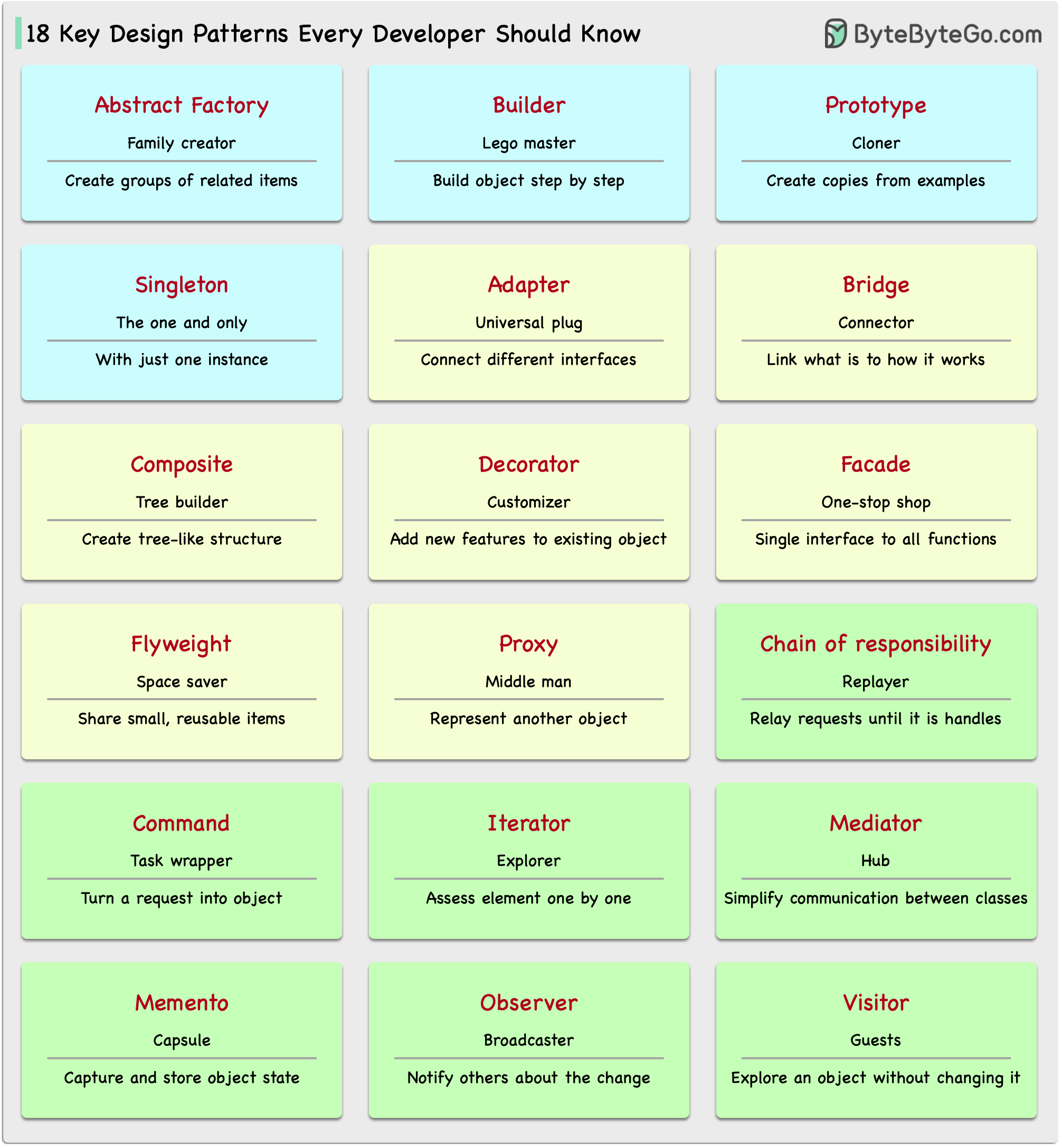
Patterns are reusable solutions to common design problems, resulting in a smoother, more efficient development process. They serve as blueprints for building better software structures. These are some of the most popular patterns:
-
Abstract Factory: Family Creator - Makes groups of related items.
-
Builder: Lego Master - Builds objects step by step, keeping creation and appearance separate.
-
Prototype: Clone Maker - Creates copies of fully prepared examples.
-
Singleton: One and Only - A special class with just one instance.
-
Adapter: Universal Plug - Connects things with different interfaces.
-
Bridge: Function Connector - Links how an object works to what it does.
-
Composite: Tree Builder - Forms tree-like structures of simple and complex parts.
-
Decorator: Customizer - Adds features to objects without changing their core.
-
Facade: One-Stop-Shop - Represents a whole system with a single, simplified interface.
-
Flyweight: Space Saver - Shares small, reusable items efficiently.
-
Proxy: Stand-In Actor - Represents another object, controlling access or actions.
-
Chain of Responsibility: Request Relay - Passes a request through a chain of objects until handled.
-
Command: Task Wrapper - Turns a request into an object, ready for action.
-
Iterator: Collection Explorer - Accesses elements in a collection one by one.
-
Mediator: Communication Hub - Simplifies interactions between different classes.
-
Memento: Time Capsule - Captures and restores an object's state.
-
Observer: News Broadcaster - Notifies classes about changes in other objects.
-
Visitor: Skillful Guest - Adds new operations to a class without altering it.