mirror of
https://github.com/ByteByteGoHq/system-design-101.git
synced 2026-04-01 16:57:23 -04:00
 ee4b7305a2
This PR adds all the guides from [Visual
Guides](https://bytebytego.com/guides/) section on bytebytego to the
repository with proper links.

- [x] Markdown files for guides and categories are placed inside
`data/guides` and `data/categories`
- [x] Guide links in readme are auto-generated using
`scripts/readme.ts`. Everytime you run the script `npm run
update-readme`, it reads the categories and guides from the above
mentioned folders, generate production links for guides and categories
and populate the table of content in the readme. This ensures that any
future guides and categories will automatically get added to the readme.
- [x] Sorting inside the readme matches the actual category and guides
sorting on production
1.1 KiB
1.1 KiB
title, description, image, createdAt, draft, categories, tags
| title | description | image | createdAt | draft | categories | tags | |||
|---|---|---|---|---|---|---|---|---|---|
| What is a Cookie? | Learn about cookies, how they work, and their role in web browsing. | https://assets.bytebytego.com/diagrams/0043-what-is-a-cookie.png | 2024-03-09 | false |
|
|
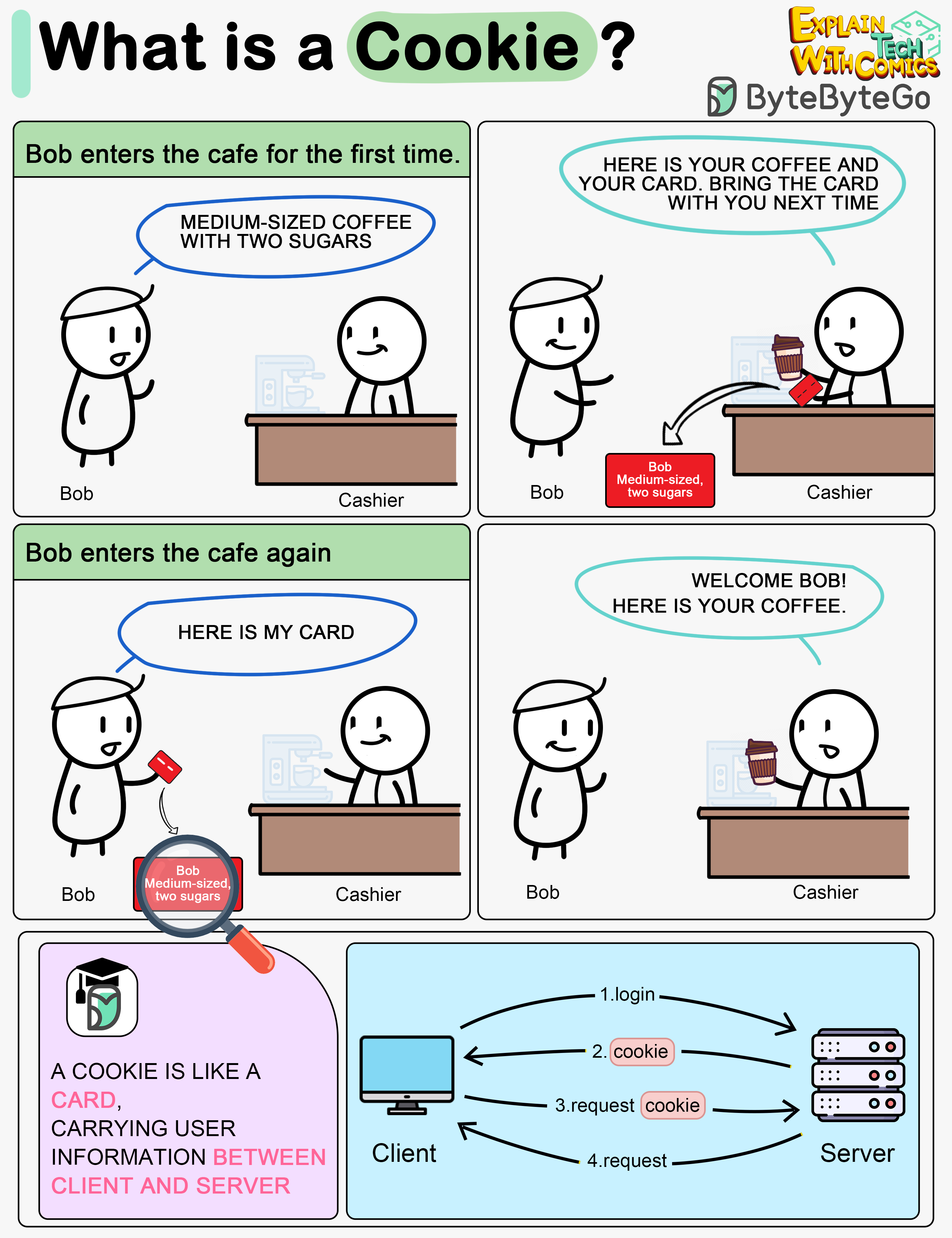
Imagine Bob goes to a coffee shop for the first time, orders a medium-sized espresso with two sugars. The cashier records Bob’s identity and preferences on a card and hands it over to Bob with a cup of coffee.
The next time Bob goes to the cafe, he shows the cashier the preference card. The cashier immediately knows who the customer is and what kind of coffee he likes.
A cookie acts as the preference card. When we log in to a website, the server issues a cookie to us with a small amount of data. The cookie is stored on the client side, so the next time we send a request to the server with the cookie, the server knows our identity and preferences immediately without looking into the database.