mirror of
https://github.com/ByteByteGoHq/system-design-101.git
synced 2026-04-12 12:57:24 -04:00
 ee4b7305a2
This PR adds all the guides from [Visual
Guides](https://bytebytego.com/guides/) section on bytebytego to the
repository with proper links.

- [x] Markdown files for guides and categories are placed inside
`data/guides` and `data/categories`
- [x] Guide links in readme are auto-generated using
`scripts/readme.ts`. Everytime you run the script `npm run
update-readme`, it reads the categories and guides from the above
mentioned folders, generate production links for guides and categories
and populate the table of content in the readme. This ensures that any
future guides and categories will automatically get added to the readme.
- [x] Sorting inside the readme matches the actual category and guides
sorting on production
1.1 KiB
1.1 KiB
title, description, image, createdAt, draft, categories, tags
| title | description | image | createdAt | draft | categories | tags | |||
|---|---|---|---|---|---|---|---|---|---|
| Cookies vs Sessions | Explore the key differences between cookies and sessions in web development. | https://assets.bytebytego.com/diagrams/0154-cookies-vs-session.png | 2024-02-17 | false |
|
|
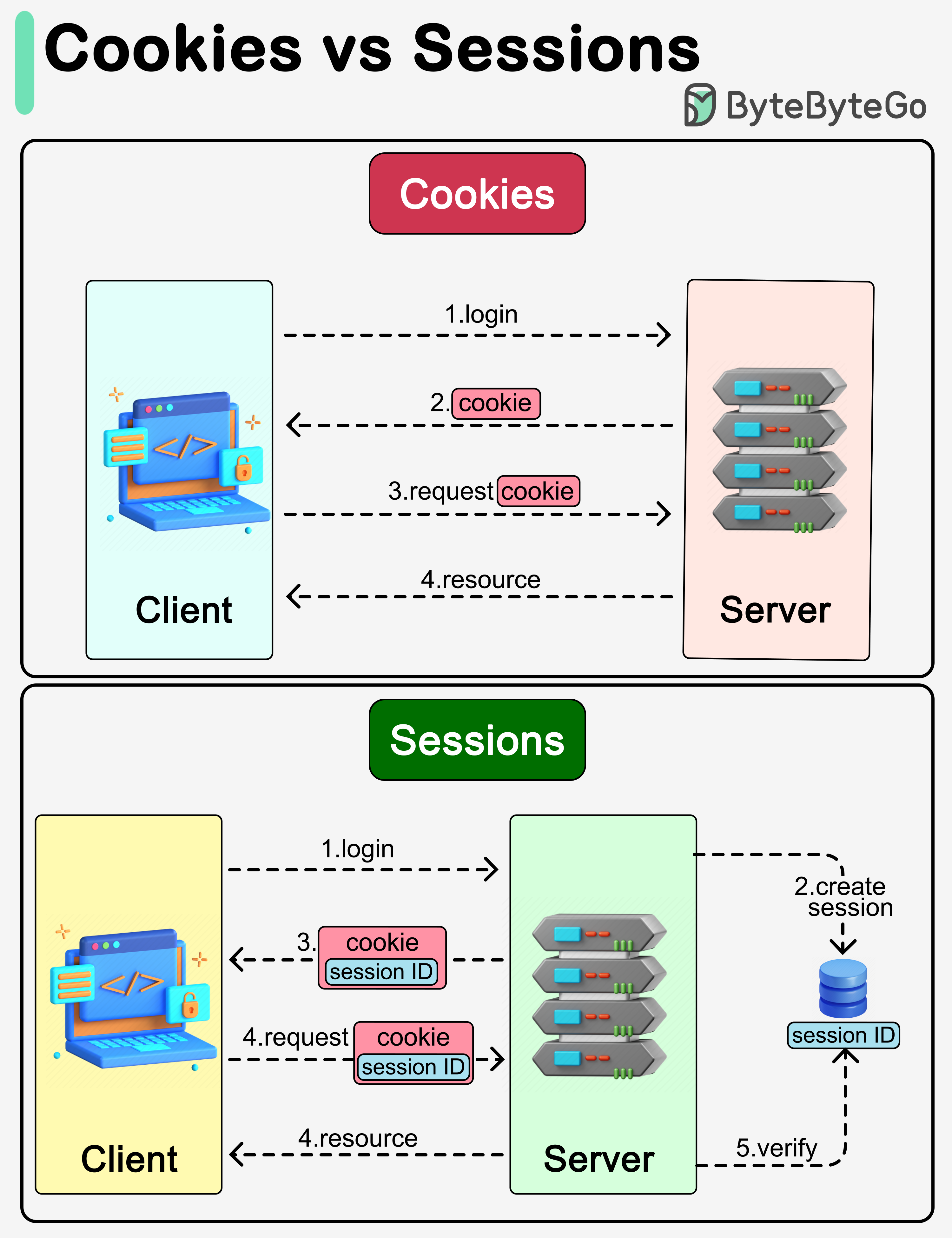
Cookies and sessions are both used to carry user information over HTTP requests, including user login status, user permissions, etc.
Cookies
Cookies typically have size limits (4KB). They carry small pieces of information and are stored on the users’ devices. Cookies are sent with each subsequent user request. Users can choose to ban cookies in their browsers.
Sessions
Unlike cookies, sessions are created and stored on the server side. There is usually a unique session ID generated on the server, which is attached to a specific user session. This session ID is returned to the client side in a cookie. Sessions can hold larger amounts of data. Since the session data is not directly accessed by the client, the session offers more security.