 ee4b7305a2
This PR adds all the guides from [Visual
Guides](https://bytebytego.com/guides/) section on bytebytego to the
repository with proper links.

- [x] Markdown files for guides and categories are placed inside
`data/guides` and `data/categories`
- [x] Guide links in readme are auto-generated using
`scripts/readme.ts`. Everytime you run the script `npm run
update-readme`, it reads the categories and guides from the above
mentioned folders, generate production links for guides and categories
and populate the table of content in the readme. This ensures that any
future guides and categories will automatically get added to the readme.
- [x] Sorting inside the readme matches the actual category and guides
sorting on production
2.4 KiB
title, description, image, createdAt, draft, categories, tags
| title | description | image | createdAt | draft | categories | tags | |||
|---|---|---|---|---|---|---|---|---|---|
| Top 9 Website Performance Metrics You Cannot Ignore | Explore the top website performance metrics for optimal user experience. | https://assets.bytebytego.com/diagrams/0021-must-know-website-performance-metrics.png | 2024-03-13 | false |
|
|
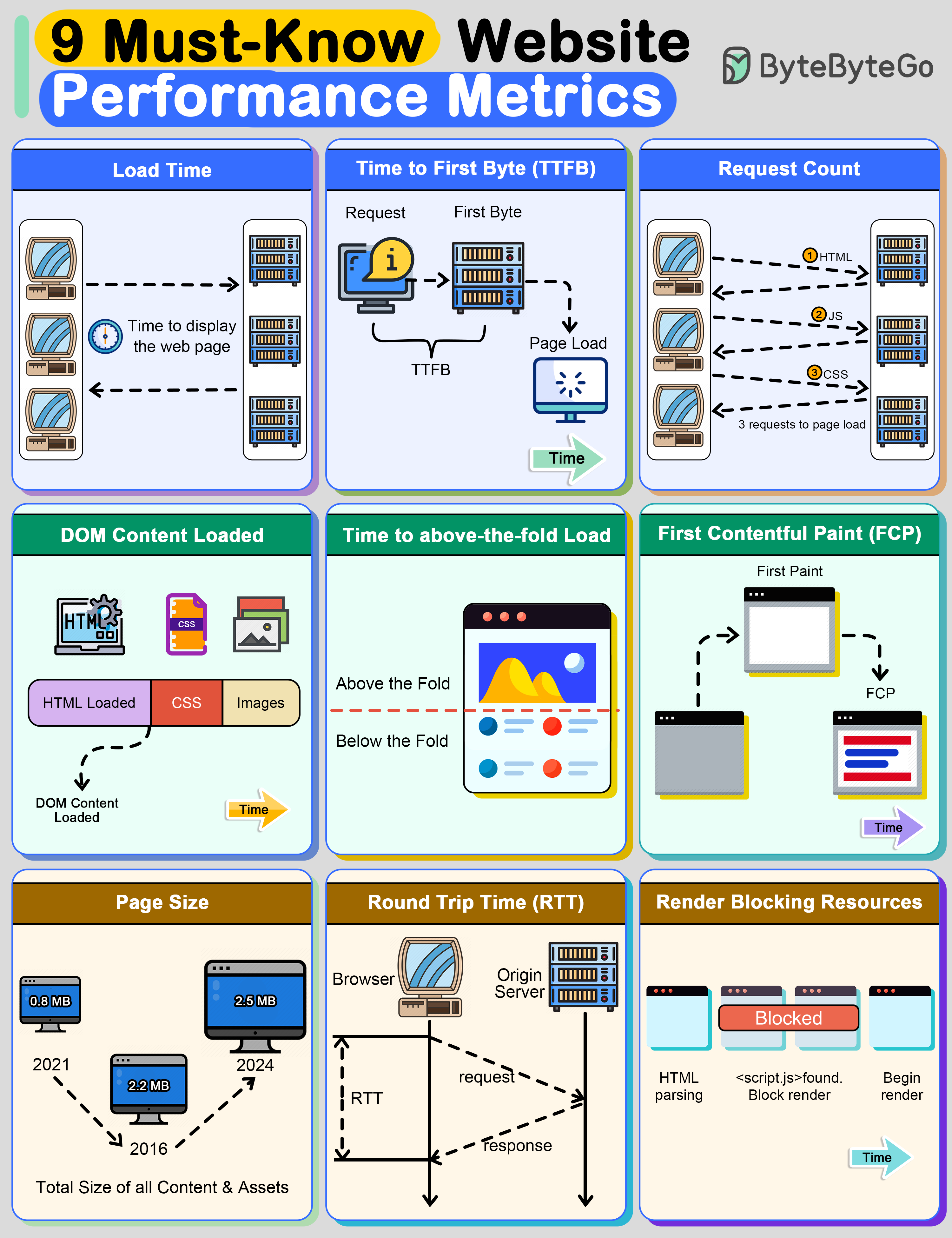
Load Time
This is the time taken by the web browser to download and display the webpage. It’s measured in milliseconds.
Time to First Byte (TTFB)
It’s the time taken by the browser to receive the first byte of data from the web server. TTFB is crucial because it indicates the general ability of the server to handle traffic.
Request Count
The number of HTTP requests a browser has to make to fully load the page. The lower this count, the faster a website will feel to the user.
DOMContentLoaded (DCL)
This is the time it takes for the full HTML code of a webpage to be loaded. The faster this happens, the faster users can see useful functionality. This time doesn’t include loading CSS and other assets
Time to Above-the-Fold Load
“Above the fold” is the area of a webpage that fits in a browser window without a user having to scroll down. This is the content that is first seen by the user and often dictates whether they’ll continue reading the webpage.
First Contentful Paint (FCP)
This is the time at which content first begins to be “painted” by the browser. It can be a text, image, or even background color.
Page Size
This is the total file size of all content and assets that appear on the page. Over the last several years, the page size of websites has been growing constantly. The bigger the size of a webpage, the longer it will take to load
Round Trip Time (RTT)
This is the amount of time a round trip takes. A round trip constitutes a request traveling from the browser to the origin server and the response from the server going to the browser. Reducing RTT is one of the key approaches to improving a website’s performance.
Render Blocking Resources
Some resources block other parts of the page from being loaded. It’s important to track the number of such resources. The more render-blocking resources a webpage has, the greater the delay for the browser to load the page.