mirror of
https://github.com/ByteByteGoHq/system-design-101.git
synced 2026-04-06 10:17:24 -04:00
 ee4b7305a2
This PR adds all the guides from [Visual
Guides](https://bytebytego.com/guides/) section on bytebytego to the
repository with proper links.

- [x] Markdown files for guides and categories are placed inside
`data/guides` and `data/categories`
- [x] Guide links in readme are auto-generated using
`scripts/readme.ts`. Everytime you run the script `npm run
update-readme`, it reads the categories and guides from the above
mentioned folders, generate production links for guides and categories
and populate the table of content in the readme. This ensures that any
future guides and categories will automatically get added to the readme.
- [x] Sorting inside the readme matches the actual category and guides
sorting on production
1.1 KiB
1.1 KiB
title, description, image, createdAt, draft, categories, tags
| title | description | image | createdAt | draft | categories | tags | |||
|---|---|---|---|---|---|---|---|---|---|
| Important Things About HTTP Headers | Learn about essential HTTP headers for client-server communication. | https://assets.bytebytego.com/diagrams/0231-http-header.png | 2024-01-30 | false |
|
|
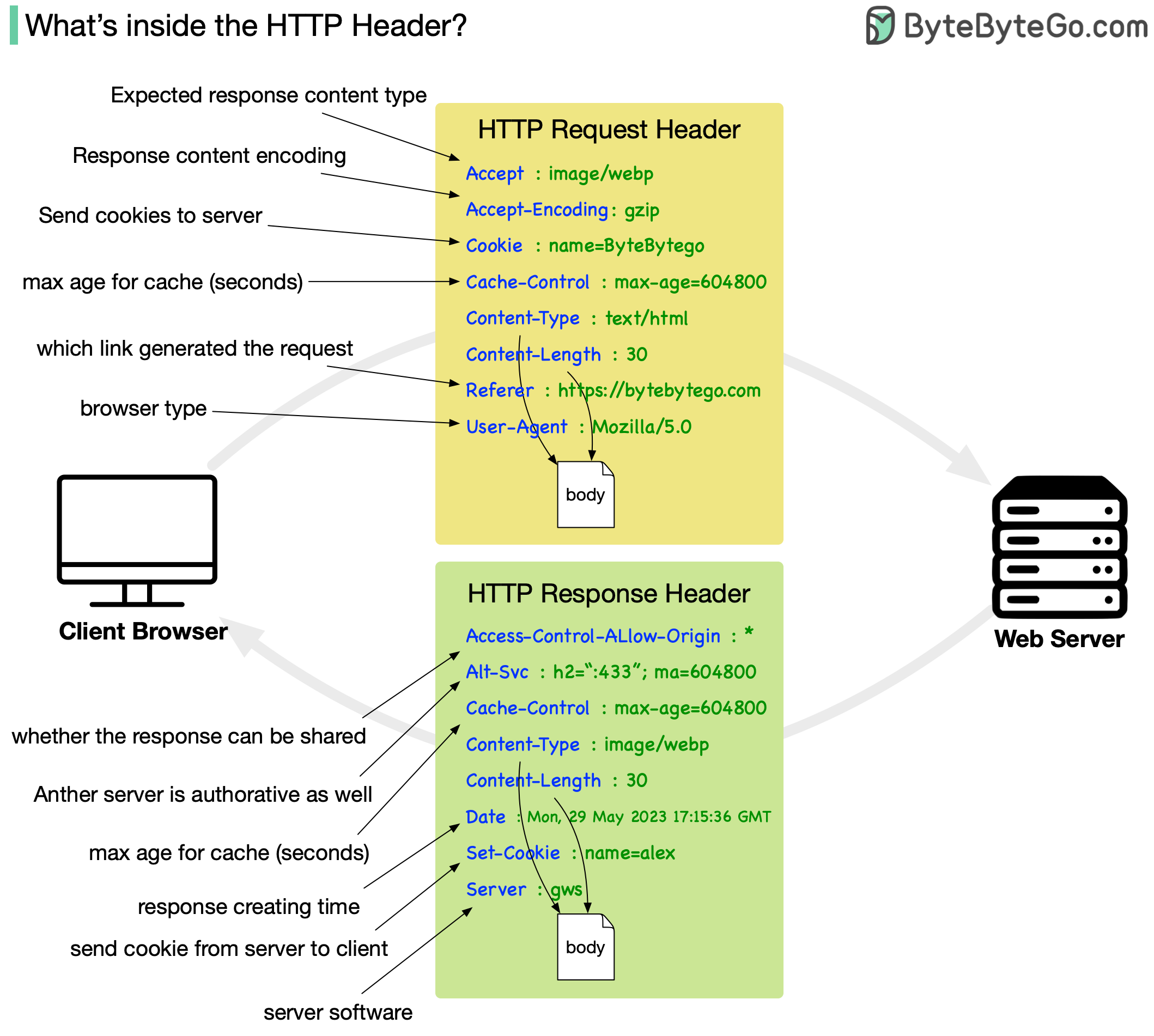
HTTP requests are like asking for something from a server, and HTTP responses are the server's replies. It's like sending a message and receiving a reply.
An HTTP request header is an extra piece of information you include when making a request, such as what kind of data you are sending or who you are. In response headers, the server provides information about the response it is sending you, such as what type of data you're receiving or if you have special instructions.
A header serves a vital role in enabling client-server communication when building RESTful applications. In order to send the right information with their requests and interpret the server's responses correctly, you need to understand these headers.