 ee4b7305a2
This PR adds all the guides from [Visual
Guides](https://bytebytego.com/guides/) section on bytebytego to the
repository with proper links.

- [x] Markdown files for guides and categories are placed inside
`data/guides` and `data/categories`
- [x] Guide links in readme are auto-generated using
`scripts/readme.ts`. Everytime you run the script `npm run
update-readme`, it reads the categories and guides from the above
mentioned folders, generate production links for guides and categories
and populate the table of content in the readme. This ensures that any
future guides and categories will automatically get added to the readme.
- [x] Sorting inside the readme matches the actual category and guides
sorting on production
1.4 KiB
title, description, image, createdAt, draft, categories, tags
| title | description | image | createdAt | draft | categories | tags | |||
|---|---|---|---|---|---|---|---|---|---|
| Frontend Performance Optimization | Boost your website's speed with these frontend optimization tips. | https://assets.bytebytego.com/diagrams/0198-frontend-performance-cheatsheet.png | 2024-03-10 | false |
|
|
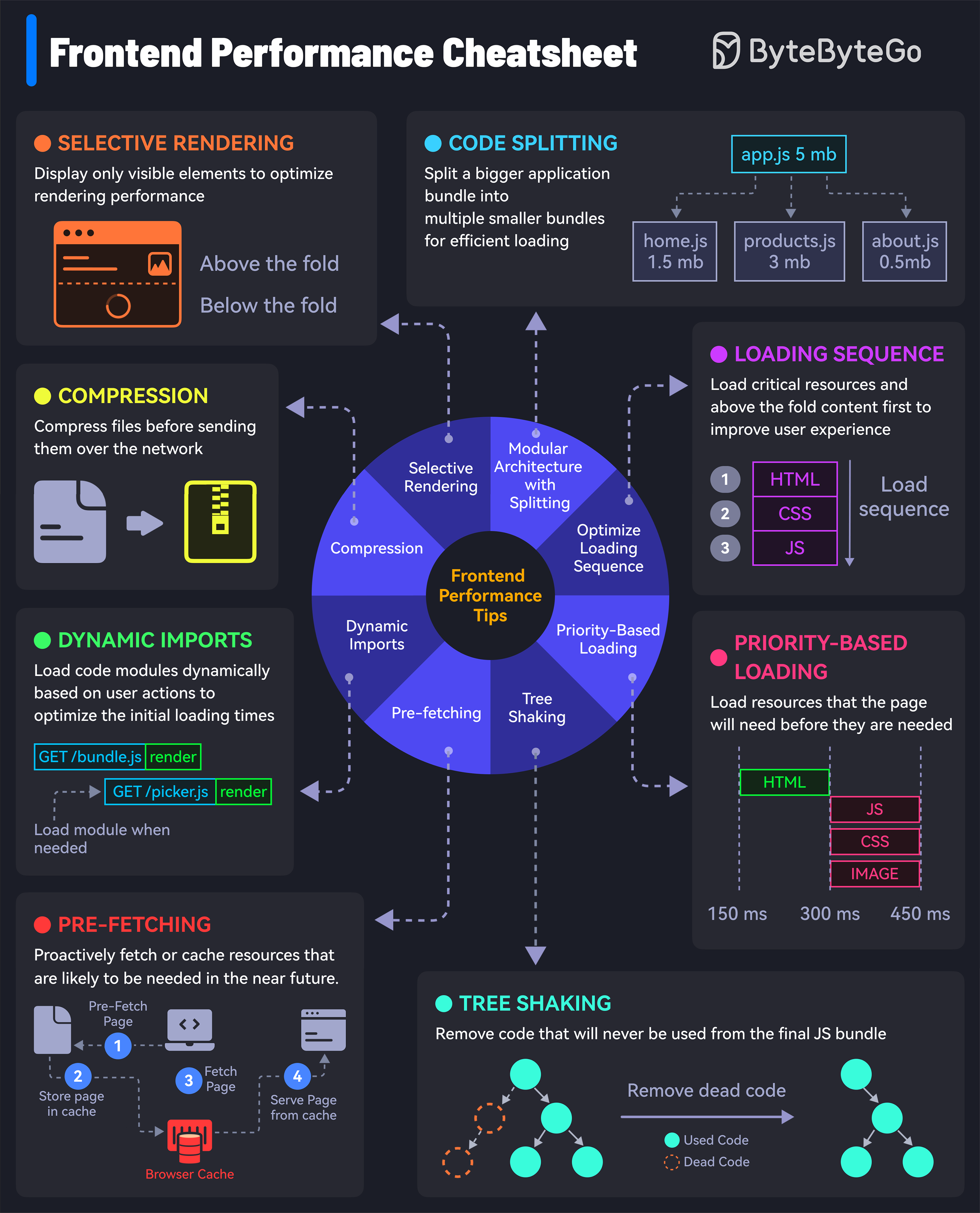
Check out these 8 tips to boost frontend performance:
-
Compression Compress files and minimize data size before transmission to reduce network load.
-
Selective Rendering/Windowing Display only visible elements to optimize rendering performance. For example, in a dynamic list, only render visible items.
-
Modular Architecture with Code Splitting Split a bigger application bundle into multiple smaller bundles for efficient loading.
-
Priority-Based Loading Prioritize essential resources and visible (or above-the-fold) content for a better user experience.
-
Pre-loading Fetch resources in advance before they are requested to improve loading speed.
-
Tree Shaking or Dead Code Removal Optimize the final JS bundle by removing dead code that will never be used.
-
Pre-fetching Proactively fetch or cache resources that are likely to be needed soon.
-
Dynamic Imports Load code modules dynamically based on user actions to optimize the initial loading times.