mirror of
https://github.com/ByteByteGoHq/system-design-101.git
synced 2026-04-01 16:57:23 -04:00
 ee4b7305a2
This PR adds all the guides from [Visual
Guides](https://bytebytego.com/guides/) section on bytebytego to the
repository with proper links.

- [x] Markdown files for guides and categories are placed inside
`data/guides` and `data/categories`
- [x] Guide links in readme are auto-generated using
`scripts/readme.ts`. Everytime you run the script `npm run
update-readme`, it reads the categories and guides from the above
mentioned folders, generate production links for guides and categories
and populate the table of content in the readme. This ensures that any
future guides and categories will automatically get added to the readme.
- [x] Sorting inside the readme matches the actual category and guides
sorting on production
1.0 KiB
1.0 KiB
title, description, image, createdAt, draft, categories, tags
| title | description | image | createdAt | draft | categories | tags | |||
|---|---|---|---|---|---|---|---|---|---|
| How Git Works | Understanding the inner workings of Git and its storage locations. | https://assets.bytebytego.com/diagrams/0202-git-commands.png | 2024-03-14 | false |
|
|
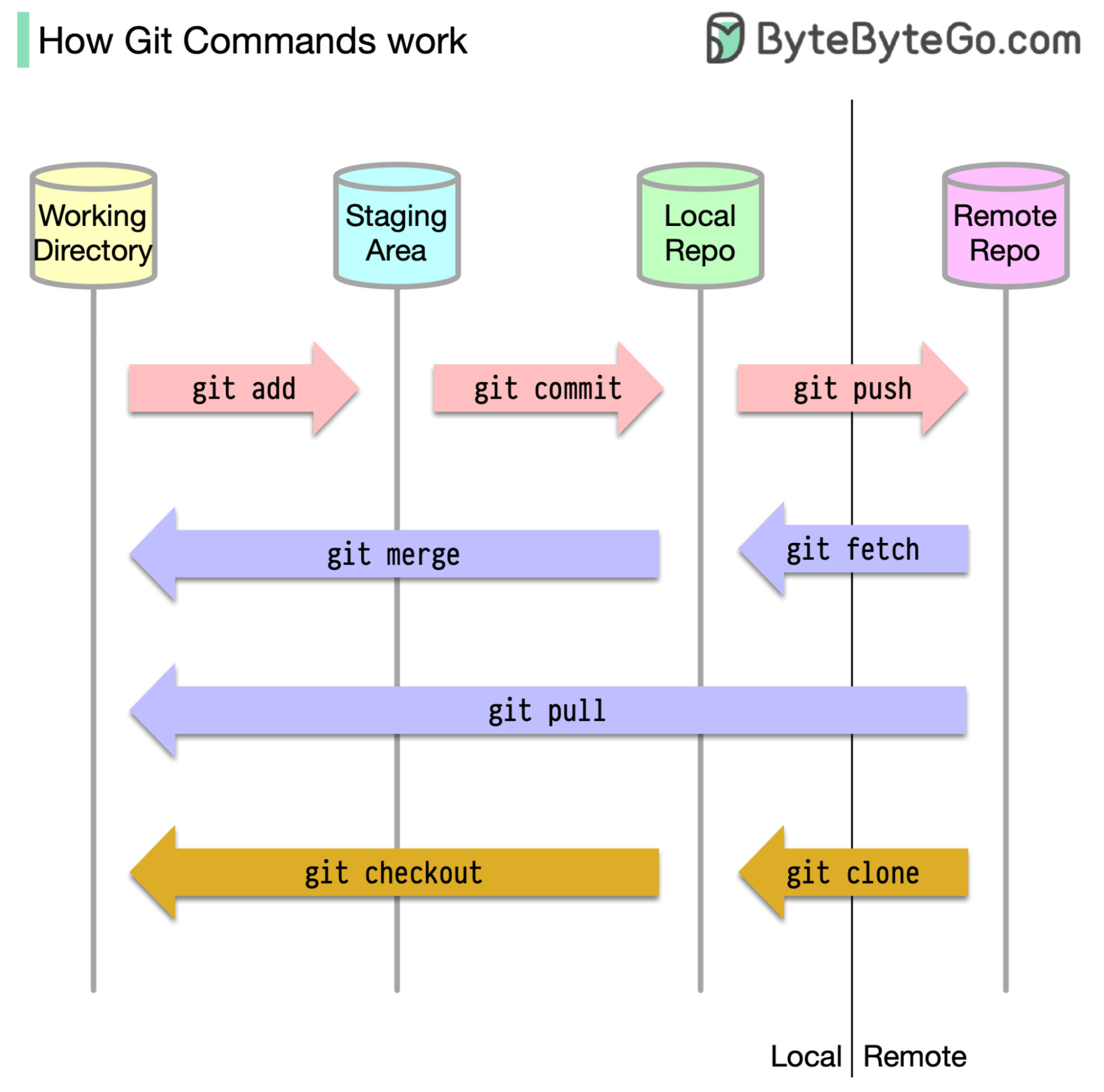
To begin with, it's essential to identify where our code is stored. The common assumption is that there are only two locations - one on a remote server like Github and the other on our local machine. However, this isn't entirely accurate. Git maintains three local storages on our machine, which means that our code can be found in four places:
-
Working directory: where we edit files
-
Staging area: a temporary location where files are kept for the next commit
-
Local repository: contains the code that has been committed
-
Remote repository: the remote server that stores the code
Most Git commands primarily move files between these four locations.