mirror of
https://github.com/ByteByteGoHq/system-design-101.git
synced 2026-04-03 17:17:24 -04:00
 ee4b7305a2
This PR adds all the guides from [Visual
Guides](https://bytebytego.com/guides/) section on bytebytego to the
repository with proper links.

- [x] Markdown files for guides and categories are placed inside
`data/guides` and `data/categories`
- [x] Guide links in readme are auto-generated using
`scripts/readme.ts`. Everytime you run the script `npm run
update-readme`, it reads the categories and guides from the above
mentioned folders, generate production links for guides and categories
and populate the table of content in the readme. This ensures that any
future guides and categories will automatically get added to the readme.
- [x] Sorting inside the readme matches the actual category and guides
sorting on production
1.0 KiB
1.0 KiB
title, description, image, createdAt, draft, categories, tags
| title | description | image | createdAt | draft | categories | tags | |||
|---|---|---|---|---|---|---|---|---|---|
| How to Design a Secure System | A cheat sheet for designing secure systems with key design points. | https://assets.bytebytego.com/diagrams/0138-cheat-sheet-for-designing-secure-systems.png | 2024-02-21 | false |
|
|
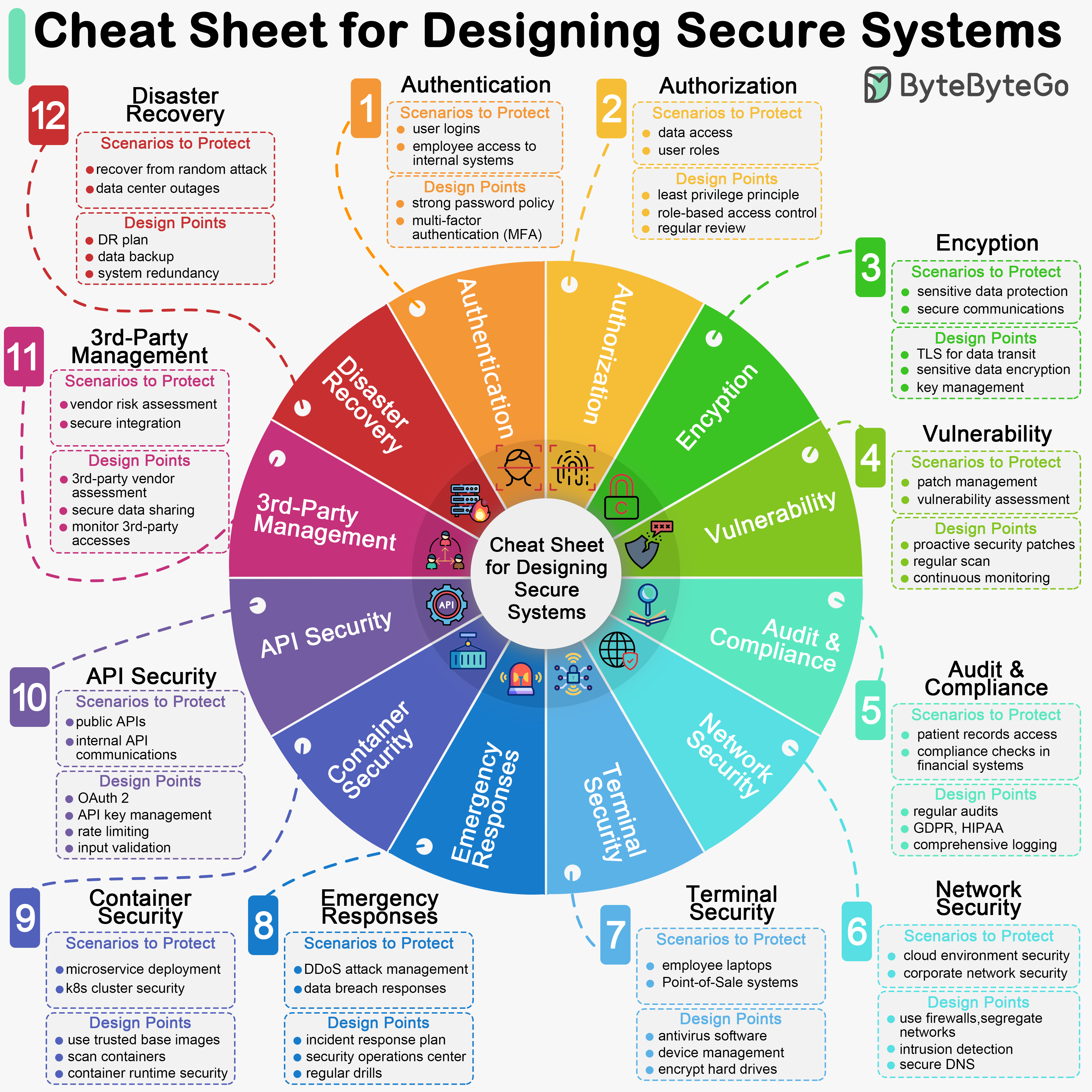
Designing secure systems is important for a multitude of reasons, spanning from protecting sensitive information to ensuring the stability and reliability of the infrastructure. As developers, we should design and implement these security guidelines by default.
The diagram below is a pragmatic cheat sheet with the use cases and key design points.
Key Design Points
- Authentication
- Authorization
- Encryption
- Vulnerability
- Audit & Compliance
- Network Security
- Terminal Security
- Emergency Responses
- Container Security
- API Security
- 3rd-Party Vendor Management
- Disaster Recovery