 ee4b7305a2
This PR adds all the guides from [Visual
Guides](https://bytebytego.com/guides/) section on bytebytego to the
repository with proper links.

- [x] Markdown files for guides and categories are placed inside
`data/guides` and `data/categories`
- [x] Guide links in readme are auto-generated using
`scripts/readme.ts`. Everytime you run the script `npm run
update-readme`, it reads the categories and guides from the above
mentioned folders, generate production links for guides and categories
and populate the table of content in the readme. This ensures that any
future guides and categories will automatically get added to the readme.
- [x] Sorting inside the readme matches the actual category and guides
sorting on production
1.7 KiB
title, description, image, createdAt, draft, categories, tags
| title | description | image | createdAt | draft | categories | tags | |||
|---|---|---|---|---|---|---|---|---|---|
| Git Commands Cheat Sheet | A handy guide to essential Git commands for developers. | https://assets.bytebytego.com/diagrams/0201-git-commands-cheat-sheet.png | 2024-02-25 | false |
|
|
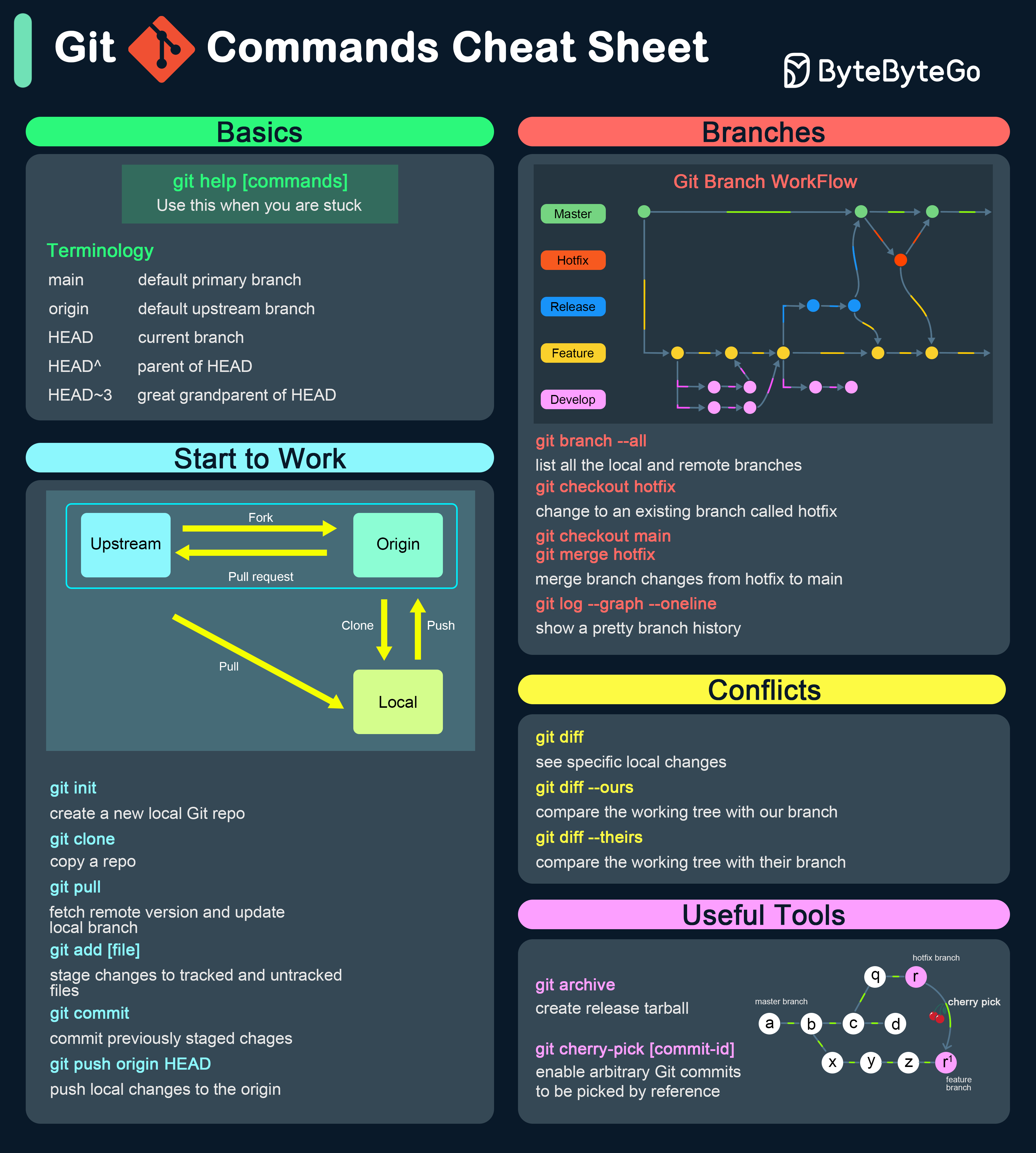
Getting Started
-
git init: Initializes a new Git repository.
-
git clone [url]: Clones a repository from a remote URL.
Making Changes
-
git add [file]: Adds a file to the staging area.
-
git commit -m "[message]": Commits changes with a descriptive message.
-
git status: Shows the status of the working directory.
-
git diff: Shows the differences between the working directory and the staging area.
Branching and Merging
-
git branch: Lists all local branches.
-
git branch [branch-name]: Creates a new branch.
-
git checkout [branch-name]: Switches to the specified branch.
-
git merge [branch-name]: Merges the specified branch into the current branch.
-
git branch -d [branch-name]: Deletes the specified branch.
Remote Repositories
-
git remote add origin [url]: Adds a remote repository.
-
git push origin [branch-name]: Pushes changes to the remote repository.
-
git pull origin [branch-name]: Pulls changes from the remote repository.
-
git fetch: Fetches changes from the remote repository without merging.
Undoing Changes
-
git reset [file]: Unstages a file.
-
git checkout -- [file]: Discards changes to a file.
-
git revert [commit]: Creates a new commit that undoes the changes from the specified commit.